

DMX viewer
How do I see the live DMX values of a universe?
Open the DMX page and press "Open Viewer" next to a universe to see all 512 channel values live, with frame rate and timing.
Plan: Free
Short answer
DMX, then "Open Viewer" in the row of the universe.
What this is for
The DMX page answers two questions quickly: which universes are on the network at all, and is a console really sending on this one. A viewer shows the 512 channel values of an Art-Net or sACN universe as they arrive, together with the frame rate.
Before you start
- Plan: Free.
- A Rig is open. For values to show, something must be sending on that universe.
Steps
-
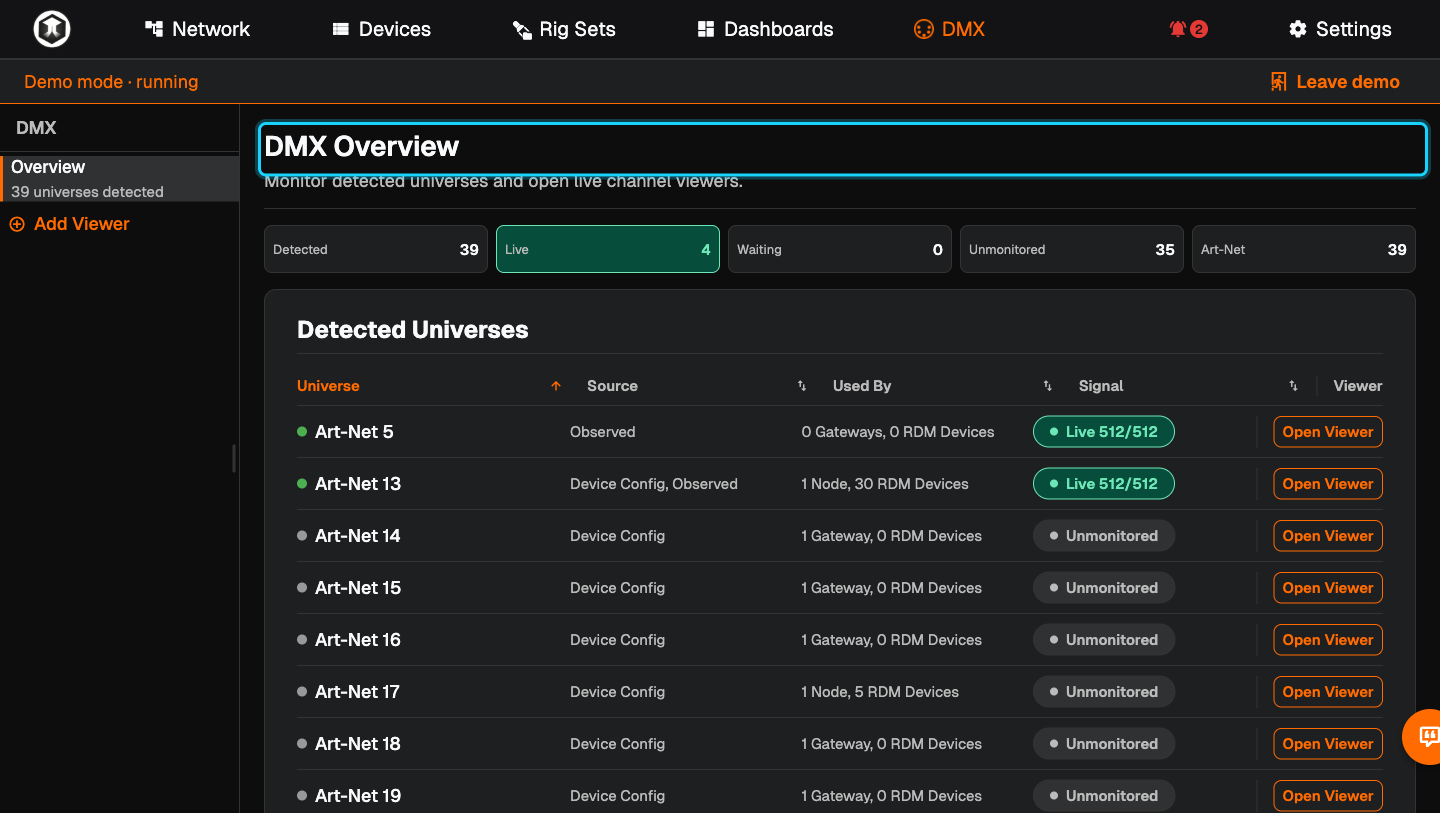
Open the overview. Go to DMX. "DMX Overview" counts the universes: "Detected", "Live", "Waiting" and "Unmonitored".
-
Read the list. "Detected Universes" shows each universe, where QubiSet knows it from ("Source"), which nodes and RDM devices use it ("Used By") and its "Signal". "Live 512/512" means all 512 channels are arriving.
-
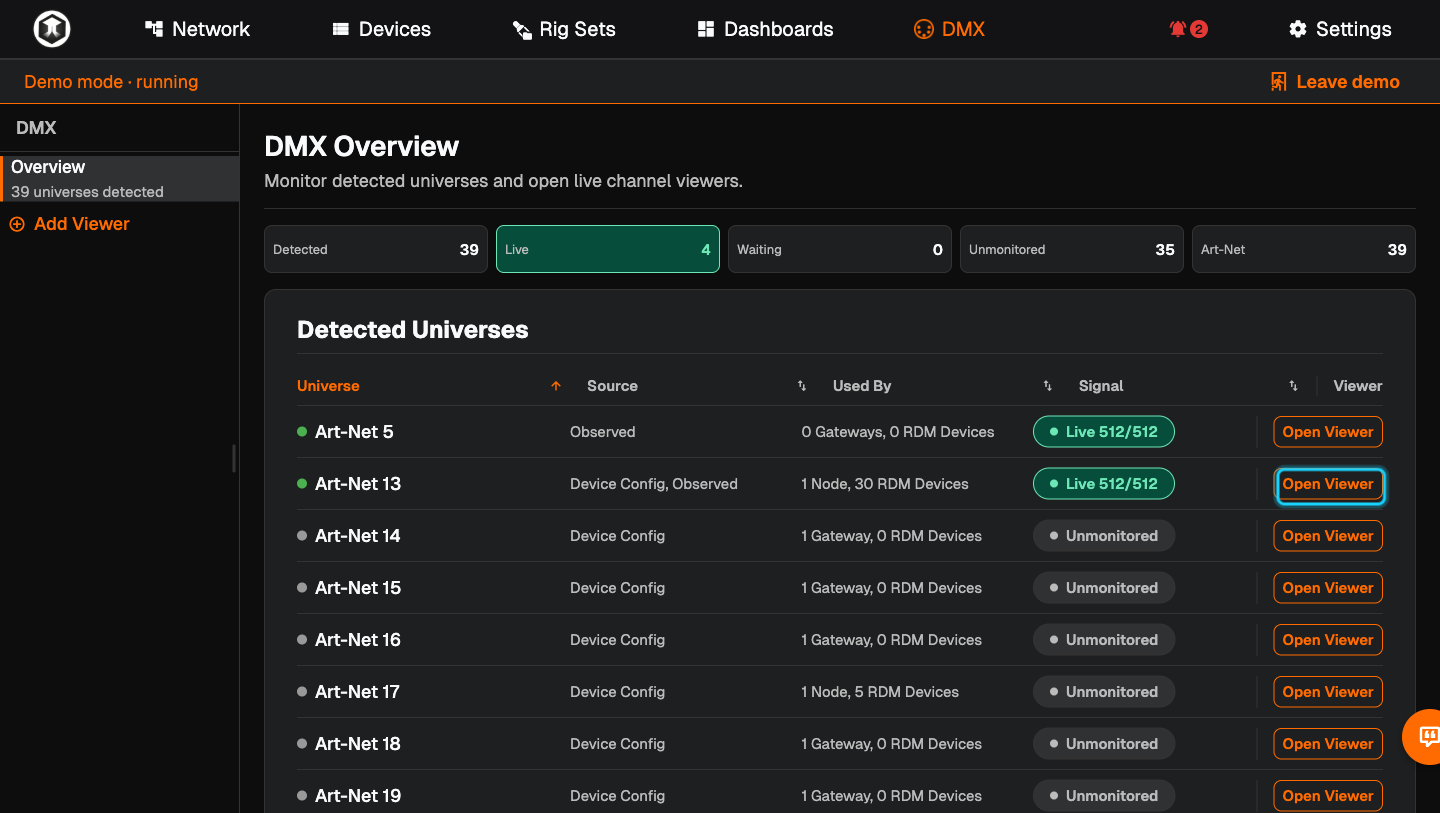
Open a viewer. Press "Open Viewer" in the row. The universe appears in the sidebar and opens.
-
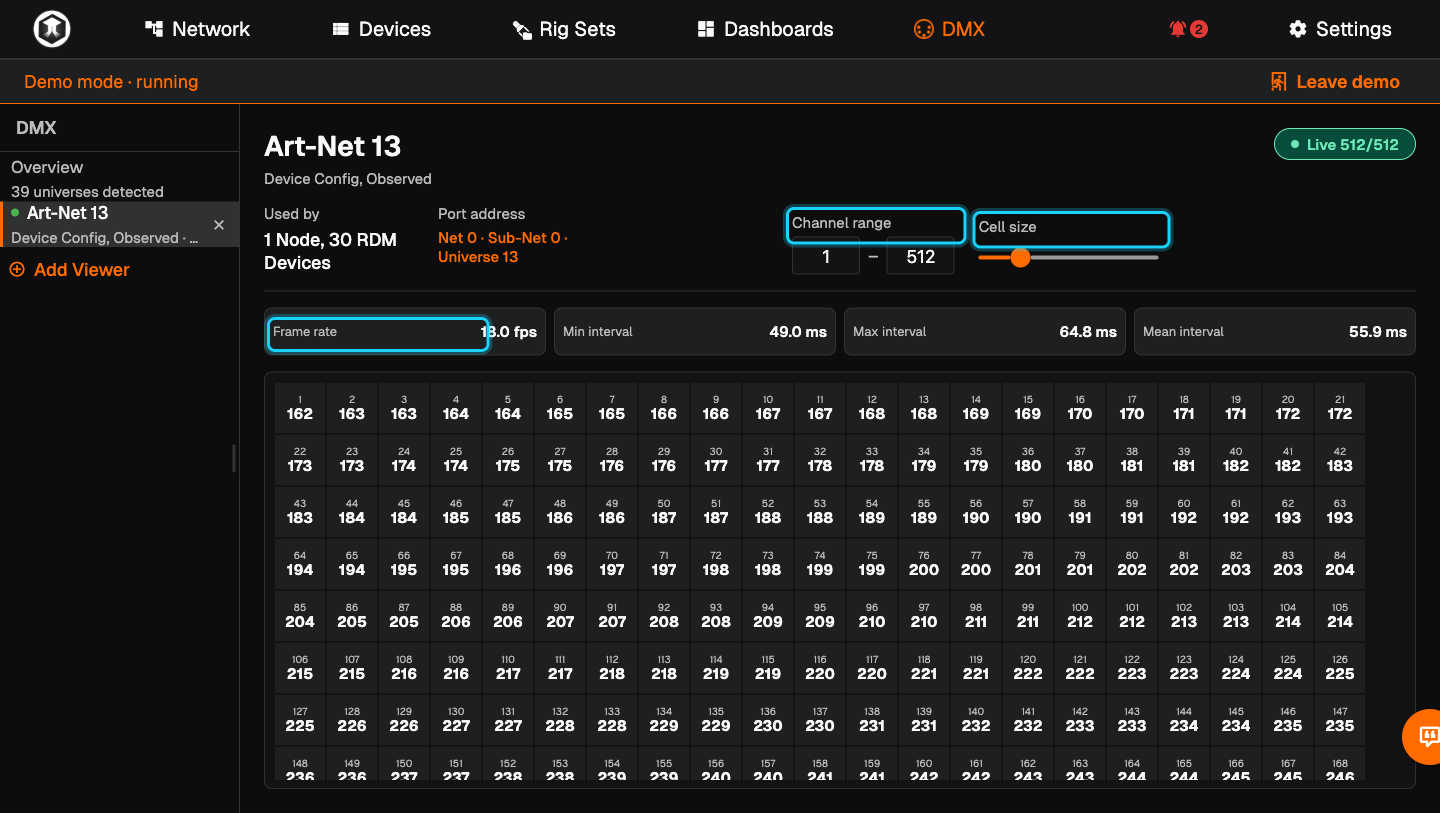
Read the values. Each cell shows the channel number and its current value from 0 to 255. Above the grid you see "Frame rate" and the "Min interval", "Max interval" and "Mean interval" between frames.
-
Narrow it down. Use "Channel range" to show only the channels you care about, and "Cell size" to make the cells larger or smaller.
-
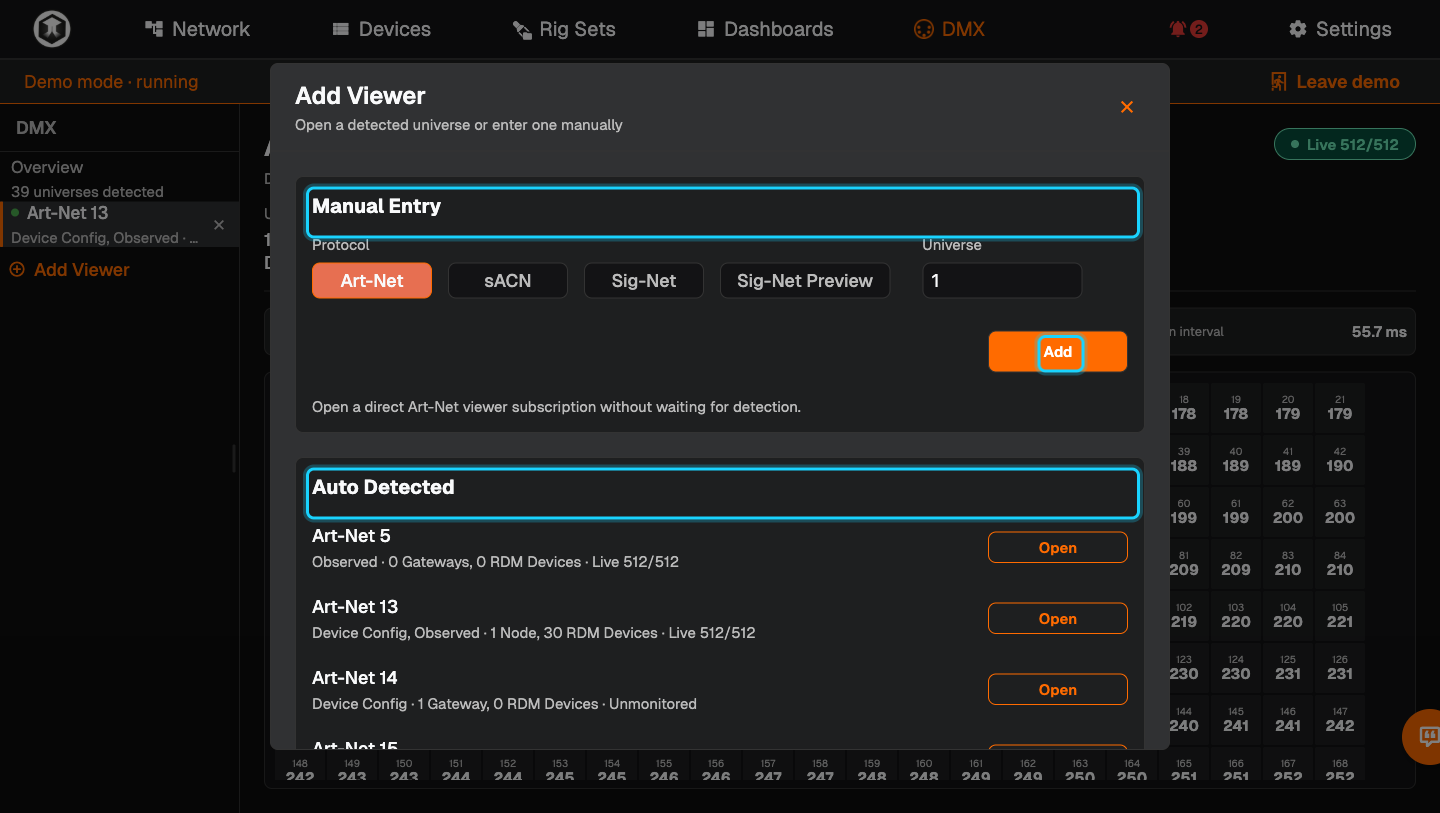
Open a universe that is not listed. Press "Add Viewer". Under "Manual Entry" choose the protocol (Art-Net, sACN or Sig-Net), type the "Universe" and press "Add". Under "Auto Detected" you can press "Open" on any universe QubiSet has seen.
-
Close a viewer. Press the cross next to the universe in the sidebar. "Overview" takes you back to the list.
If something is not as expected
- "Unmonitored". QubiSet knows the universe from a device's settings but is not watching it. Press "Open Viewer" to start.
- "Waiting". A viewer is open but no data has arrived. Check that the console is sending and that the universe number matches. Art-Net counts from 0, sACN from 1.
- A low or jumpy frame rate. Look at "Max interval". Long gaps point to a busy network or a source that sends irregularly.
- The sidebar is missing. In a narrow window it collapses. Widen the window or use the menu icon.
Related guides
- Dashboards: a "DMX Viewer" widget keeps a universe in view all the time.
- Find a device and change its settings
- Alerts and alert rules
Still stuck?
Ask us on Discord or write to support@qubicast.com. Tell us what you did and what you saw, and we will help.