
Groups
How do I organise devices into groups?
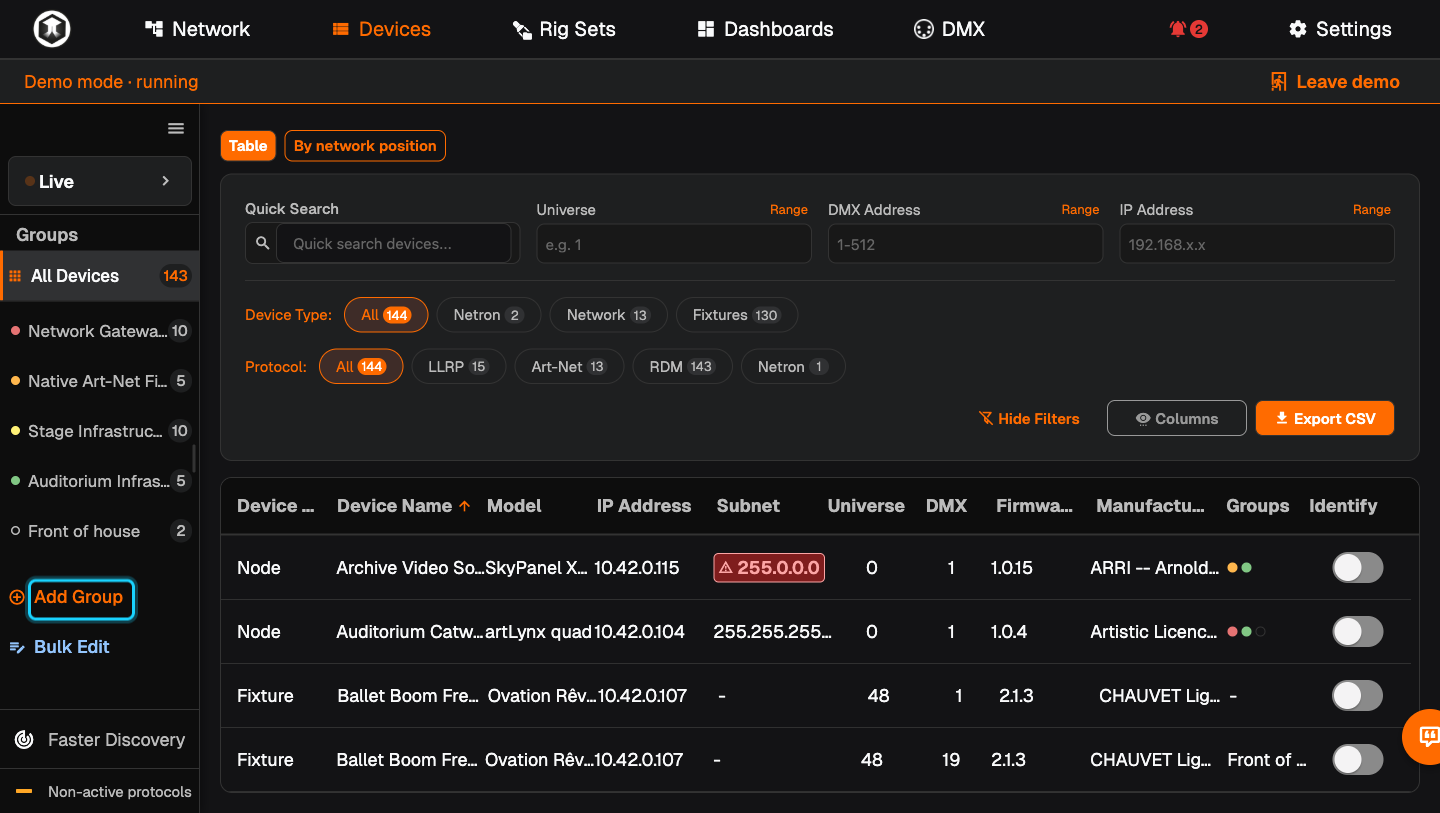
Press "Add Group" in the sidebar of Network or Devices, click the devices that belong together, give the group a name and colour, and save.
Plan: Freelance or higher
Short answer
"Add Group", click the devices, name it, press the green save button.
What this is for
A group is a named, coloured selection of devices, for example "Front of house" or "Dimmer room". Click a group and Network and Devices show only its members. Groups are also the quickest way to pick devices for Bulk Edit, alert rules and dashboard widgets. A device can be in several groups.
Before you start
- Plan: Freelance or higher. Groups are not part of Free. You can try them in the Demo Rig on any plan.
- A Rig is open and you are in the Live view, not viewing a Rig Set.
Steps
-
Start a group. On Network or Devices, press "Add Group" in the sidebar. A bar appears at the top with "0 selected".
-
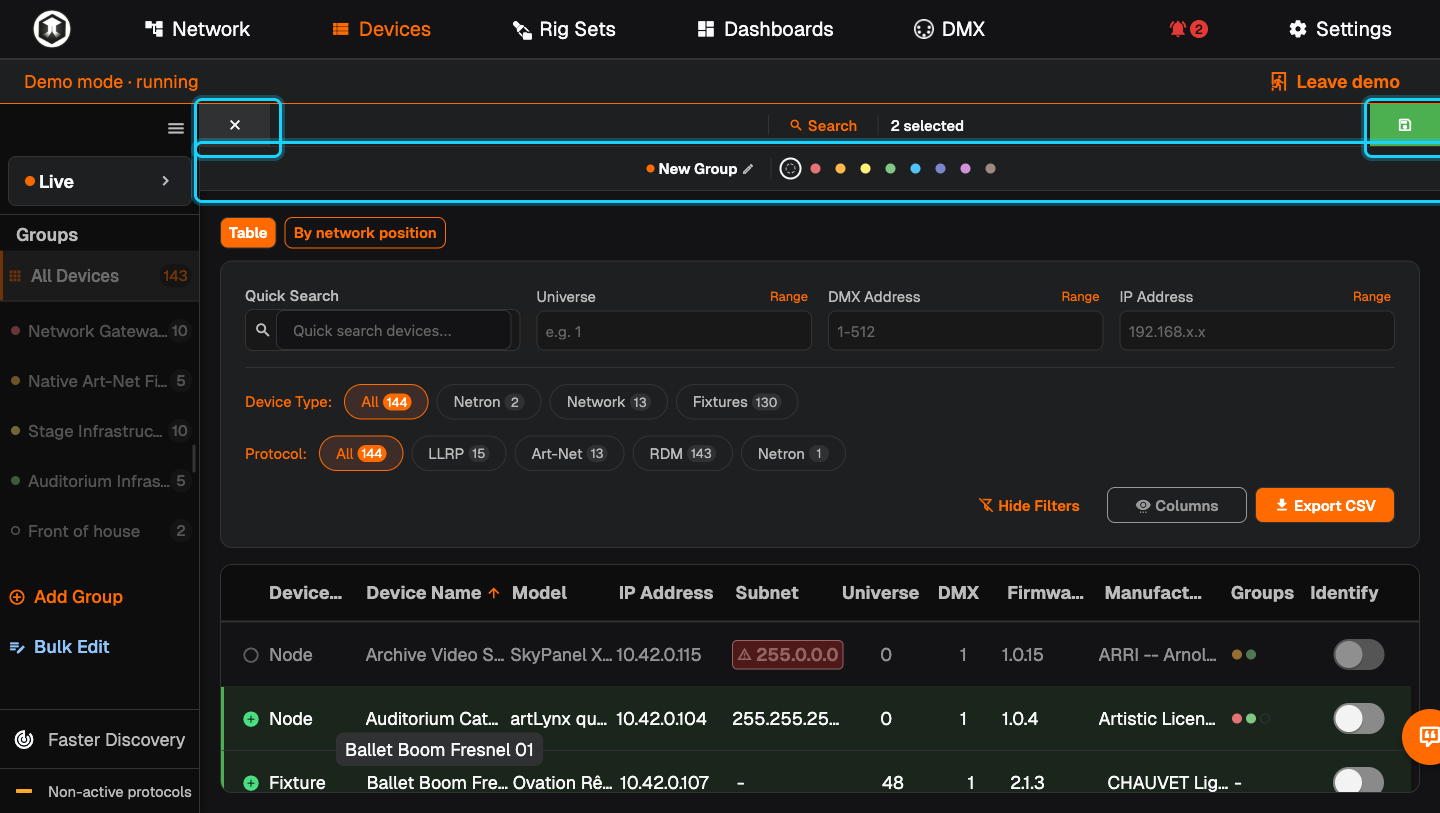
Pick the devices. Click each device that belongs to the group. Click again to take it out. On the Network page you can also drag a box while holding the right mouse button. "Search" in the bar helps you find devices.
-
Name it. Click "New Group" in the bar and type the group's name.
-
Choose a colour. Click one of the colour dots next to the name.
-
Save. Press the green save button at the right end of the bar. The cross at the left end cancels.
-
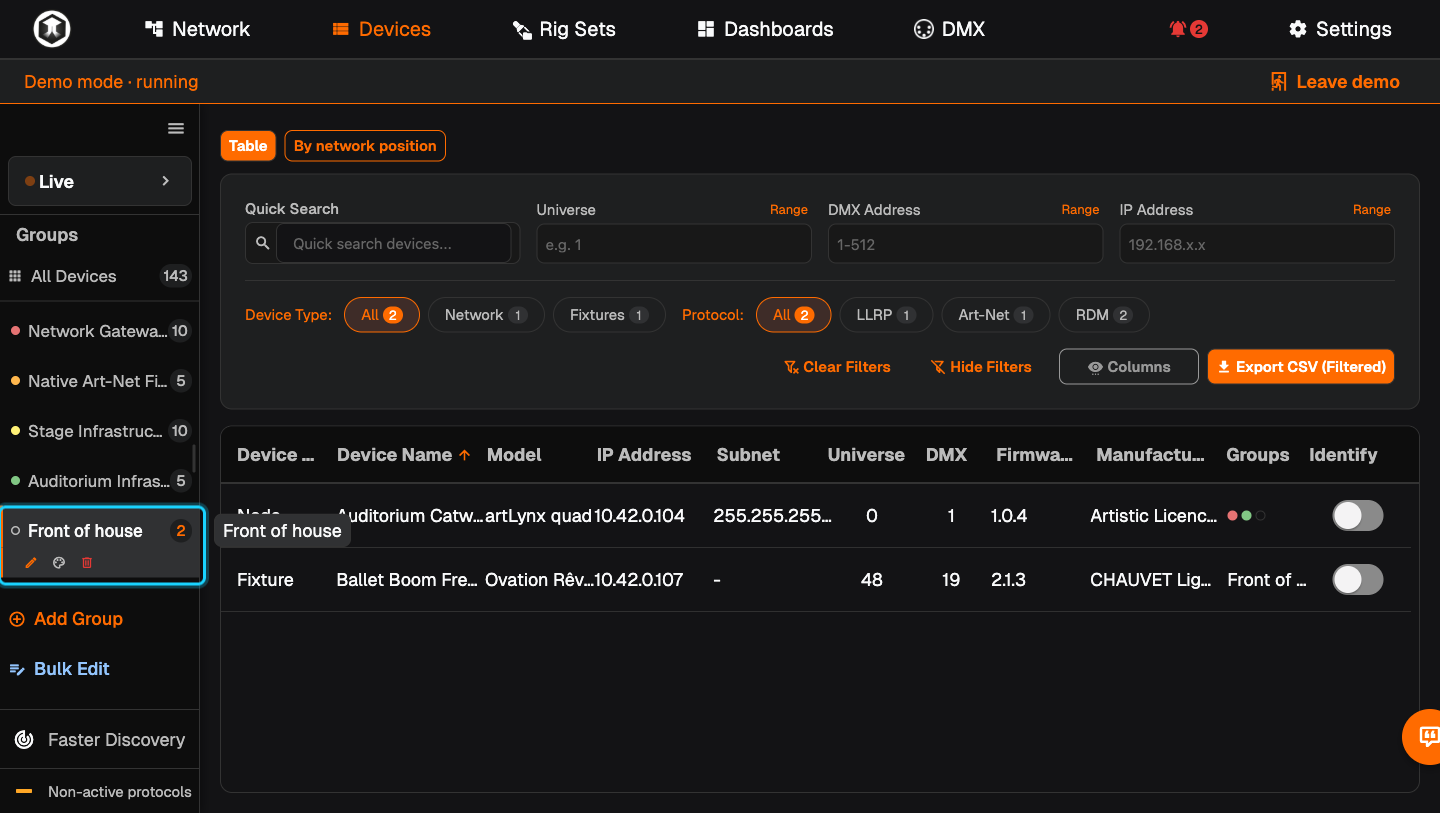
Use it. Click the group in the sidebar. Network and Devices now show only its devices, and the number next to the name tells you how many there are. "All Devices" shows everything again.
-
Change it later. Select the group. Three icons appear under its name: the pencil changes name and members, the palette changes the colour, the bin deletes the group. Deleting a group does not touch the devices.
If something is not as expected
- You only see coloured dots and numbers. The sidebar is collapsed. Click the menu icon at its top to open it.
- The icons for edit, colour and delete are missing. They only show on the group that is selected.
- Group counts show 0. You are viewing a Rig Set. Press "Leave Set view".
- "Add Group" shows a lock. Your plan does not include groups.
Related guides
- Bulk Edit
- Alerts and alert rules
- Dashboards: "Device Group Status" shows how many devices of a group are online.
Still stuck?
Ask us on Discord or write to support@qubicast.com. Tell us what you did and what you saw, and we will help.